

Get help
There are two ways to get help from inside RotarApp: these help pages, and the Feedback form, which sends your message to the RotarApp team.
Who can do this: every signed-in member. The Feedback form shows only for a member of the club, and only when feedback is turned on for your club.
How to open these help pages
Section titled “How to open these help pages”- Tap the ? button at the top of any page. Its name is Help & Support.
- These help pages open in a new tab, in the language of your club. Choose a topic in the menu, or use the search box.
The ? button always opens these pages. It does not open a page of your own club.
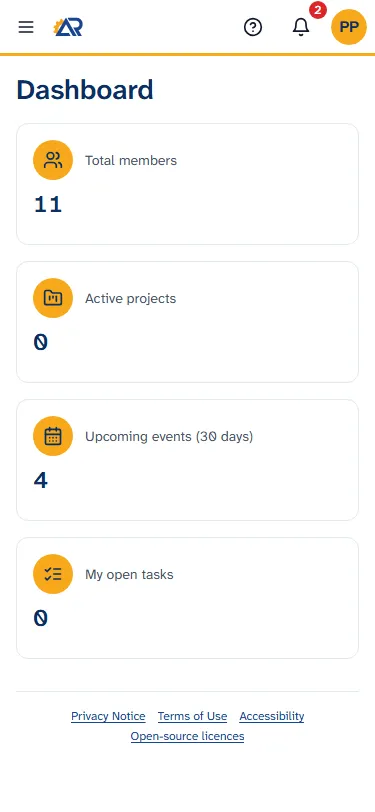
How to send feedback
Section titled “How to send feedback”Use this for a mistake in the app (Bug), a wish for the app (Idea), or something you do not understand about the app (Question).
- Tap your initials or photo at the top right.
- Tap Send feedback.
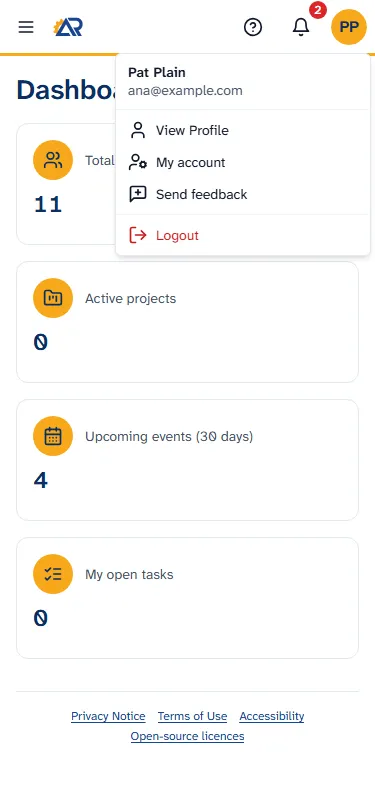
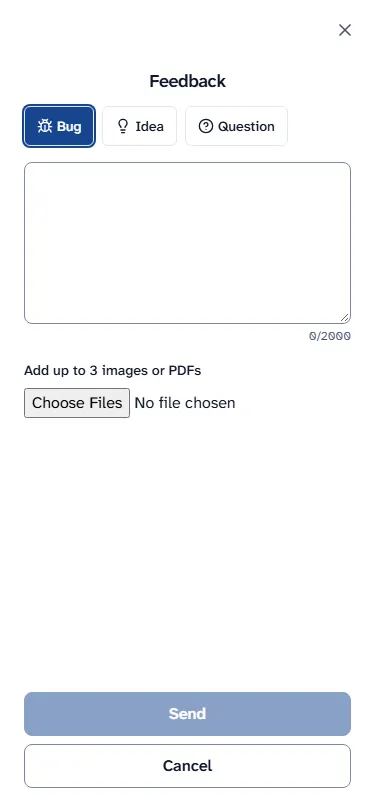
- Choose the kind of message: Bug, Idea or Question.
- Write your message in the big box. It holds up to 2000 characters, and a counter shows how many you have used.
- If it helps, add up to 3 pictures or PDF files with Add up to 3 images or PDFs. Each file can be PNG, JPG/JPEG, WebP or PDF, up to 5 MB. To take a file away again, tap the X on it.
- Tap Send. The button is grey until you have written a message. To leave without sending, tap Cancel.
- A page says Thank you! and “We read every message.” Tap Close.
Your message goes to the RotarApp team. It does not go to the officers of your club. RotarApp also saves the page you were on, the version of the app and the kind of device and browser you use, so the team can find the problem.
Your club’s own help page
Section titled “Your club’s own help page”A club can add the link of its own help page (the setting Help / support link in the club settings) and use it in the emails and messages it sends. The ? button does not use it. To ask about your club (dues, events, who to call), ask an officer.
Common problems
Section titled “Common problems”- I cannot find Send feedback. Your club has feedback turned off, or you are not a member of the club you are in. Ask an officer.
- “Feedback is turned off right now.” Feedback was turned off while you were writing. Try again later.
- “You have sent many messages today. Please try again tomorrow.” The form allows a limited number of messages in one day.
- “Could not send. Please try again.” Check your connection and tap Send again.
- “Max 5 MB per file”, “Only PNG, JPG/JPEG, WebP or PDF” or “Up to 3 files”. Choose a smaller file, a file of an allowed type, or fewer files.
- “1 file(s) could not be uploaded.” Your message was sent, but a picture or file did not arrive. Send another message with the file.